![[LC]TooltipSystem - Sprite-Based Tooltip System](https://img.itch.zone/aW1nLzI0NjEzNzQzLnBuZw==/original/%2FBQyM6.png)
[LC]TooltipSystem - Sprite-Based Tooltip System
A downloadable game
TooltipSystem - Professional Sprite-Based Tooltip System
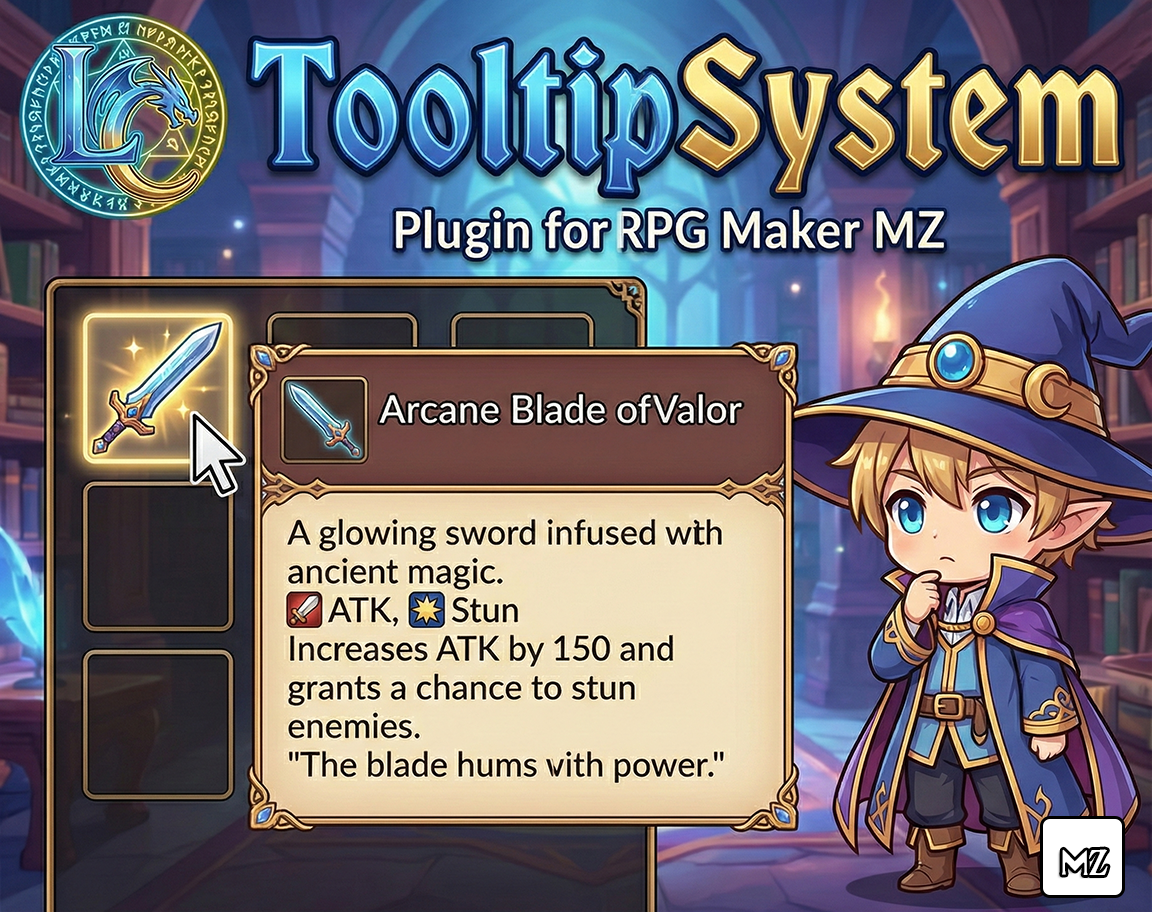
LC_TooltipSystem v1.0.5 is a complete, professional tooltip system for RPG Maker MZ that displays rich, formatted tooltips when hovering over items, skills, weapons, and armors in both menus and battle scenes. Built using a sprite-based rendering system, it eliminates flickering and provides smooth, customizable tooltips with support for colors, icons, and multi-line text.
This plugin is perfect for:
- Creating professional, informative game interfaces with detailed item descriptions.
- Providing players with quick access to item stats without cluttering the UI.
- Adding tutorial hints and contextual help throughout your game.
- Creating difficulty modes by enabling/disabling tooltips dynamically.
- Enhancing the player experience with rich, formatted information.
Features
This plugin provides a complete tooltip solution with extensive customization options:
► Universal Compatibility
- Works Everywhere: Tooltips appear in Item menus, Skill menus, Equipment menus, and Battle scenes.
- All Item Types: Supports Items, Skills, Weapons, and Armors with a simple note tag.
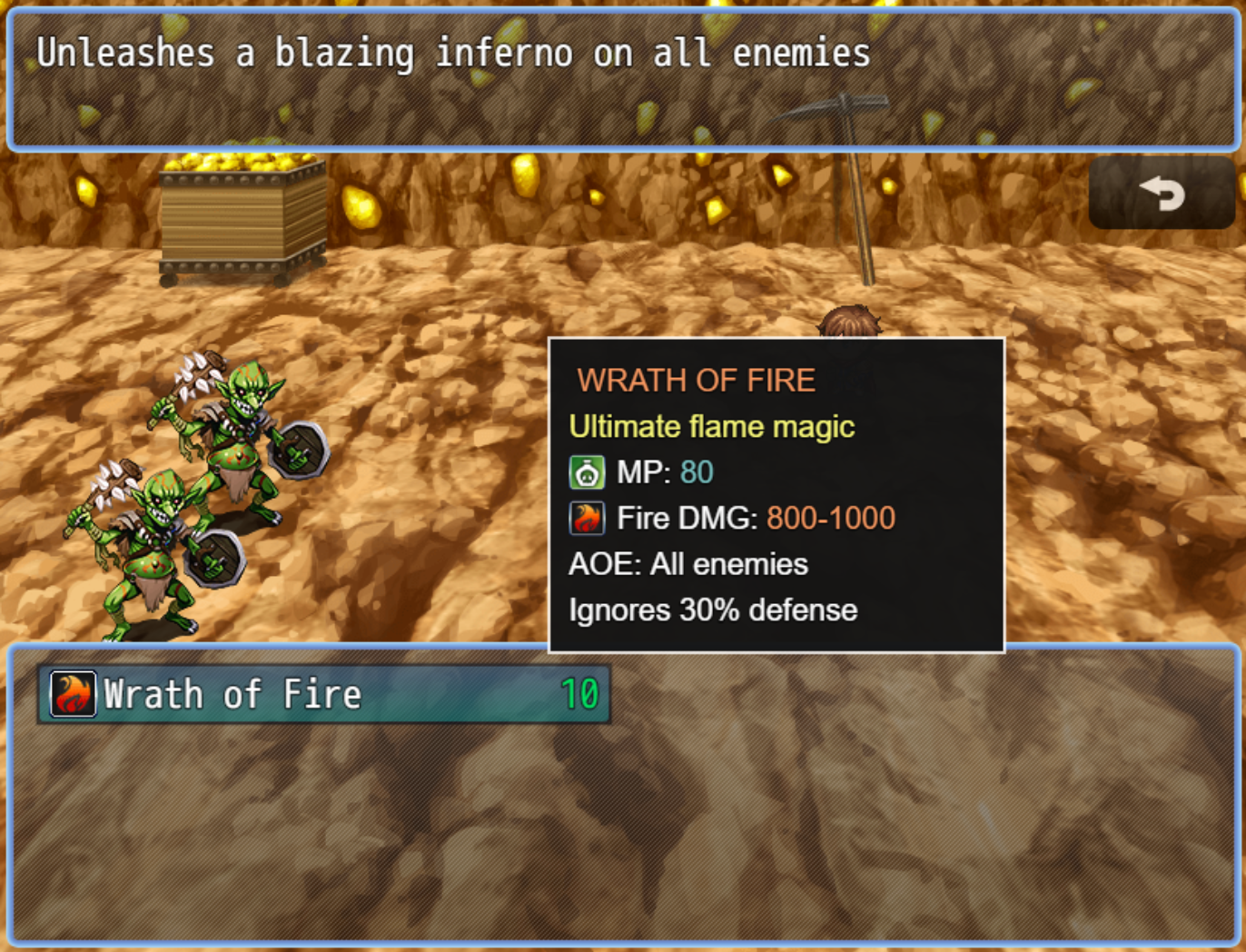
- Battle-Ready: Full support for skill and item selection during combat with intelligent multi-window handling.
- Plugin Compatible: Works seamlessly with VisuStella, CGMZ, and most custom menu plugins.
► Rich Text Formatting
- Color Codes: Use
\c[n]to highlight important information with 32 different colors. - Icon Support: Display icons inline with
\i[n]for quick visual recognition. - Multi-Line Text: Use
\nto create detailed, formatted tooltips with multiple lines. - Custom Styling: Full control over font size, background color, border color, and padding.
► Smart Behavior
- Intelligent Positioning: Tooltips automatically avoid screen edges and reposition themselves.
- Hover Delay: Configurable delay prevents accidental tooltip popups from small mouse movements.
- Mouse Tracking: Smart detection system only shows tooltips when the mouse is directly over an item.
- Zero Flickering: Sprite-based rendering ensures smooth, flicker-free display.
- Ownership System: In battle, only the active window can control the tooltip, preventing conflicts.
► Dynamic Control
- Plugin Parameters: Set default enable/disable state for menus and battle separately.
- Plugin Commands: Enable or disable tooltips at runtime for tutorial systems and difficulty modes.
- Separate Control: Toggle menu tooltips and battle tooltips independently.
- State Persistence: Tooltip settings are saved in save files and persist across game sessions.
► Full Customization
- Appearance: Customize background color, border color, border width, padding, and font size.
- Timing: Adjust hover delay and mouse movement threshold to match your game's feel.
- Debug Mode: Built-in debug logging for troubleshooting and development.
![Screenshot placeholder - Tooltip in battle with formatted text]
How to Use (For Developers)
Setting up tooltips is incredibly simple - just add a note tag to your items!
Step 1: Install the Plugin
- Download
LC_TooltipSystem.js - Place it in your project's
js/plugins/folder - Open the Plugin Manager in RPG Maker MZ
- Add
LC_TooltipSystemto your plugin list - Configure parameters (optional - defaults work great!)
Step 2: Add Tooltip Note Tags
Open your database (Items, Skills, Weapons, or Armors) and add tooltips using the note tag:
<tooltip: Your text here>
Simple Example:
<tooltip: Restores 500 HP>
With Color Codes:
<tooltip: Restores \c[3]500 HP\c[0] instantly>
With Icons:
<tooltip: \i[176] HP +500\n\i[177] MP +200>
Advanced Formatting:
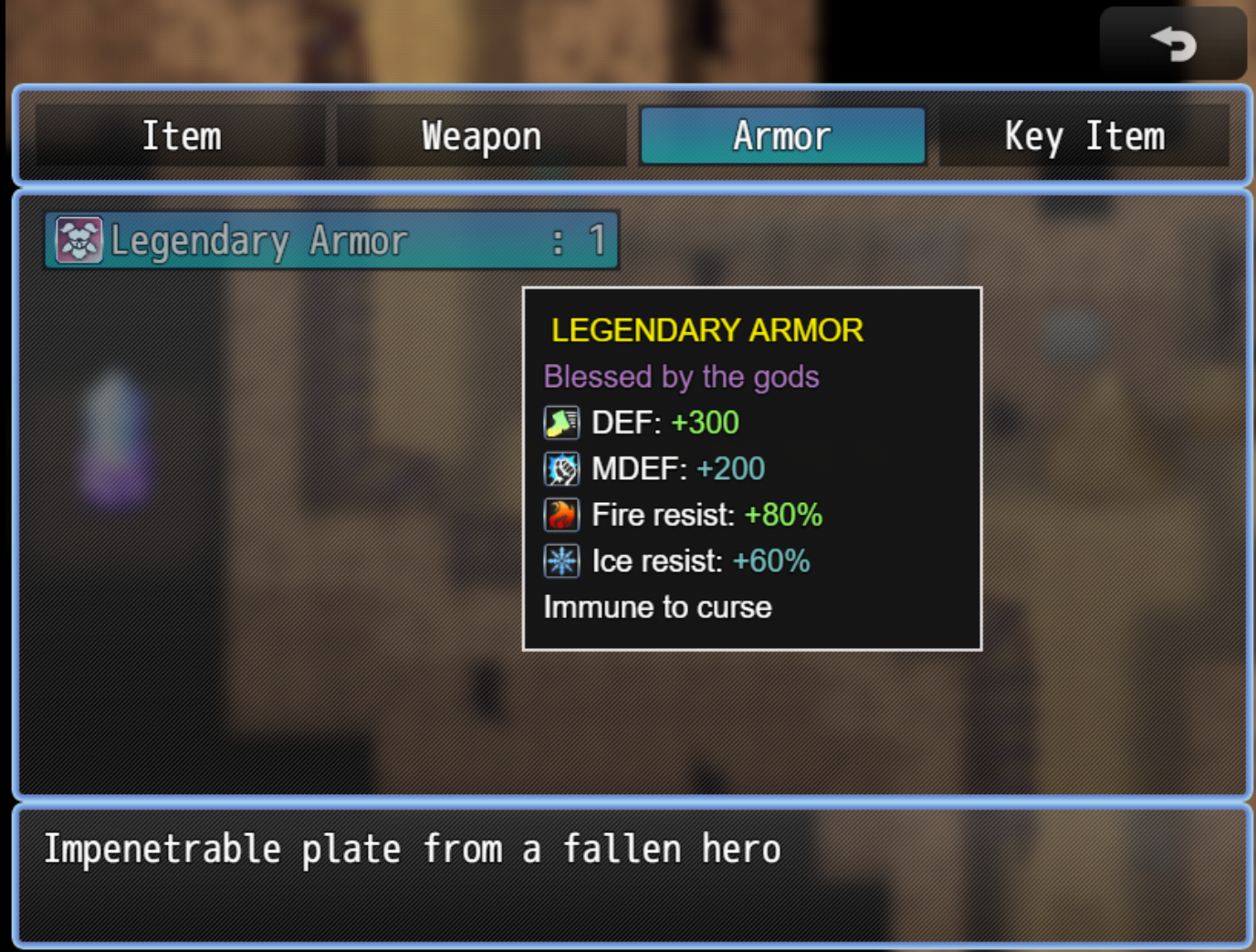
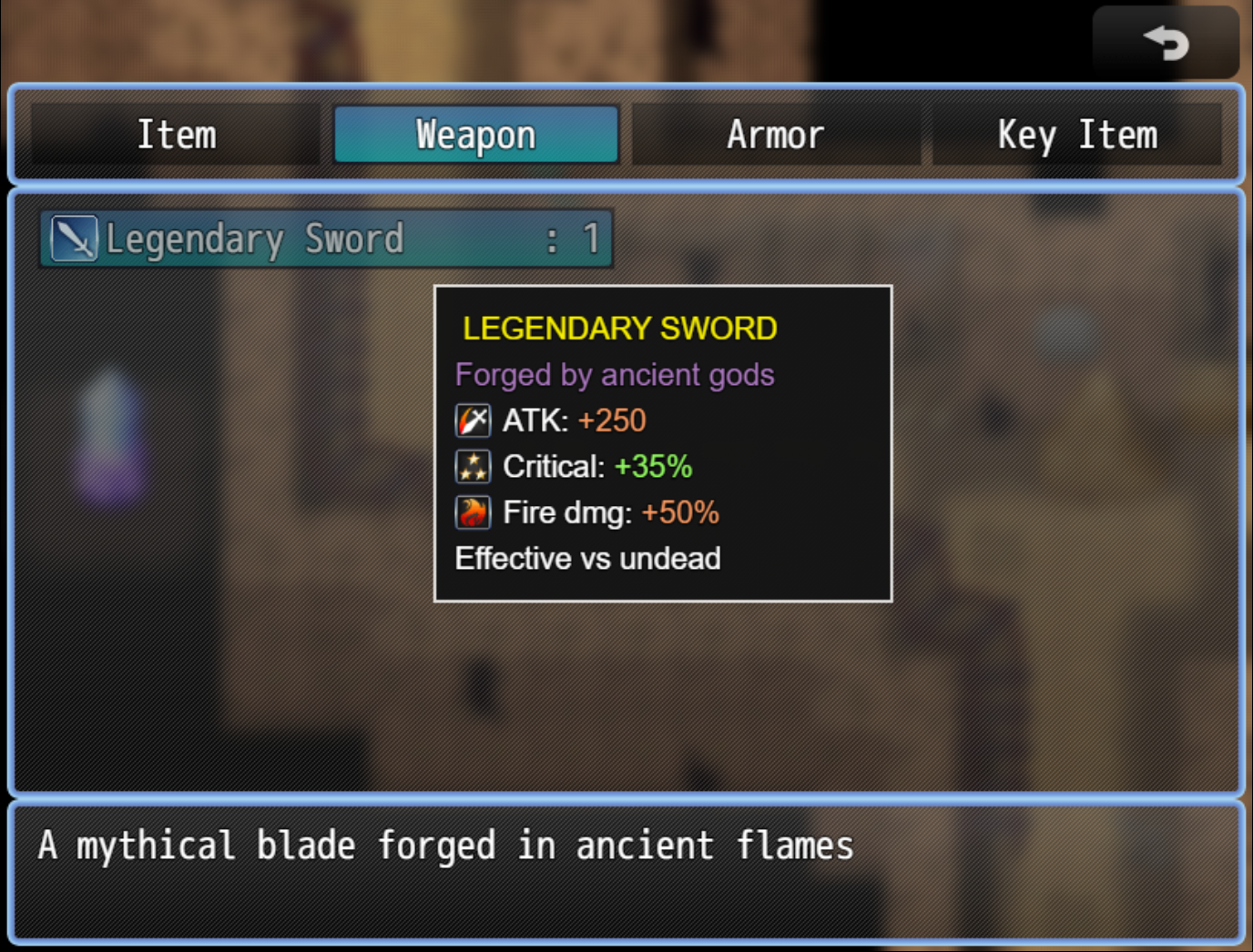
<tooltip: \c[14]LEGENDARY SWORD\c[0]\n\i[76] ATK: \c[2]+250\c[0]\n\i[87] Critical: \c[3]+35%\c[0]\nEffective vs undead>
Step 3: Configure Plugin Parameters (Optional)
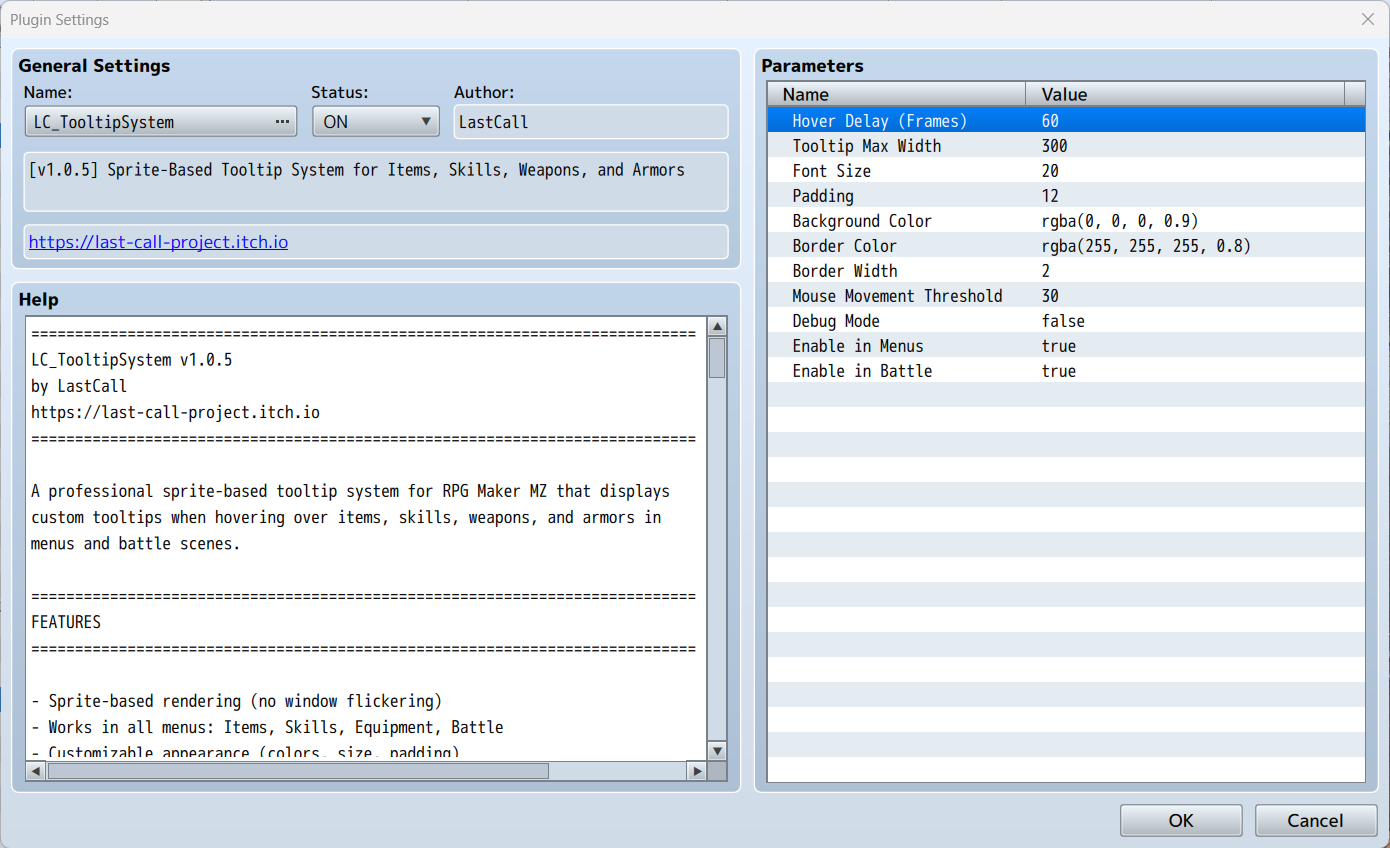
In the Plugin Manager, you can customize:
- Hover Delay: How long the cursor must remain still (default: 60 frames = 1 second)
- Tooltip Width: Maximum width of tooltips (default: 300px)
- Font Size: Size of tooltip text (default: 20px)
- Colors: Background and border colors
- Mouse Threshold: Movement allowed before timer resets (default: 30px)
- Enable in Menus: Turn tooltips on/off in menu scenes (default: ON)
- Enable in Battle: Turn tooltips on/off in battle (default: ON)
Step 4: Use Plugin Commands (Optional)
Create dynamic experiences with plugin commands!
Enable Tooltips:
Plugin Command: LC_TooltipSystem Command: enableTooltips Scope: Both Menu and Battle (or Menu Only / Battle Only)
Disable Tooltips:
Plugin Command: LC_TooltipSystem Command: disableTooltips Scope: Both Menu and Battle (or Menu Only / Battle Only)
Use Cases:
- Tutorial system: Enable tooltips during tutorial, disable after
- Difficulty modes: Easy = tooltips on, Hard = tooltips off
- Story progression: Remove training wheels as player advances
- Boss battles: Disable tooltips for increased tension
![Screenshot placeholder - Plugin parameters interface]
Supported Text Codes
Format your tooltips with these powerful codes:
Color Codes - \c[n]
\c[0]- White (Normal text)\c[2]- Orange (Attack, Physical damage)\c[3]- Green (HP, Healing, Defense)\c[4]- Cyan (MP, Magic)\c[6]- Yellow (Important, Warnings)\c[14]- Gold (Legendary items!)
Full palette of 0-31 colors supported! Always reset with \c[0] after using colors.
Icon Codes - \i[n]
\i[176]- HP icon\i[177]- MP icon\i[76]- Attack icon\i[77]- Defense icon\i[64]- Fire icon\i[87]- Critical icon
Use any icon from your IconSet.png!
Line Breaks - \n
Create multi-line tooltips:
<tooltip: MEGA POTION\nHP: +1000\nMP: +500>
Examples Gallery
Health Potion
<tooltip: \c[3]HEALTH POTION\c[0]\n\i[176] Restores \c[3]500 HP\c[0]\nUsable in battle>
Result: Green title, HP icon, green numbers, clean layout
Legendary Sword
<tooltip: \c[14]LEGENDARY SWORD\c[0]\n\c[5]Forged by ancient gods\c[0]\n\i[76] ATK: \c[2]+250\c[0]\n\i[87] Critical: \c[3]+35%\c[0]\nEffective vs undead>
Result: Gold title, purple flavor text, orange ATK stat, green crit chance
Fire Spell
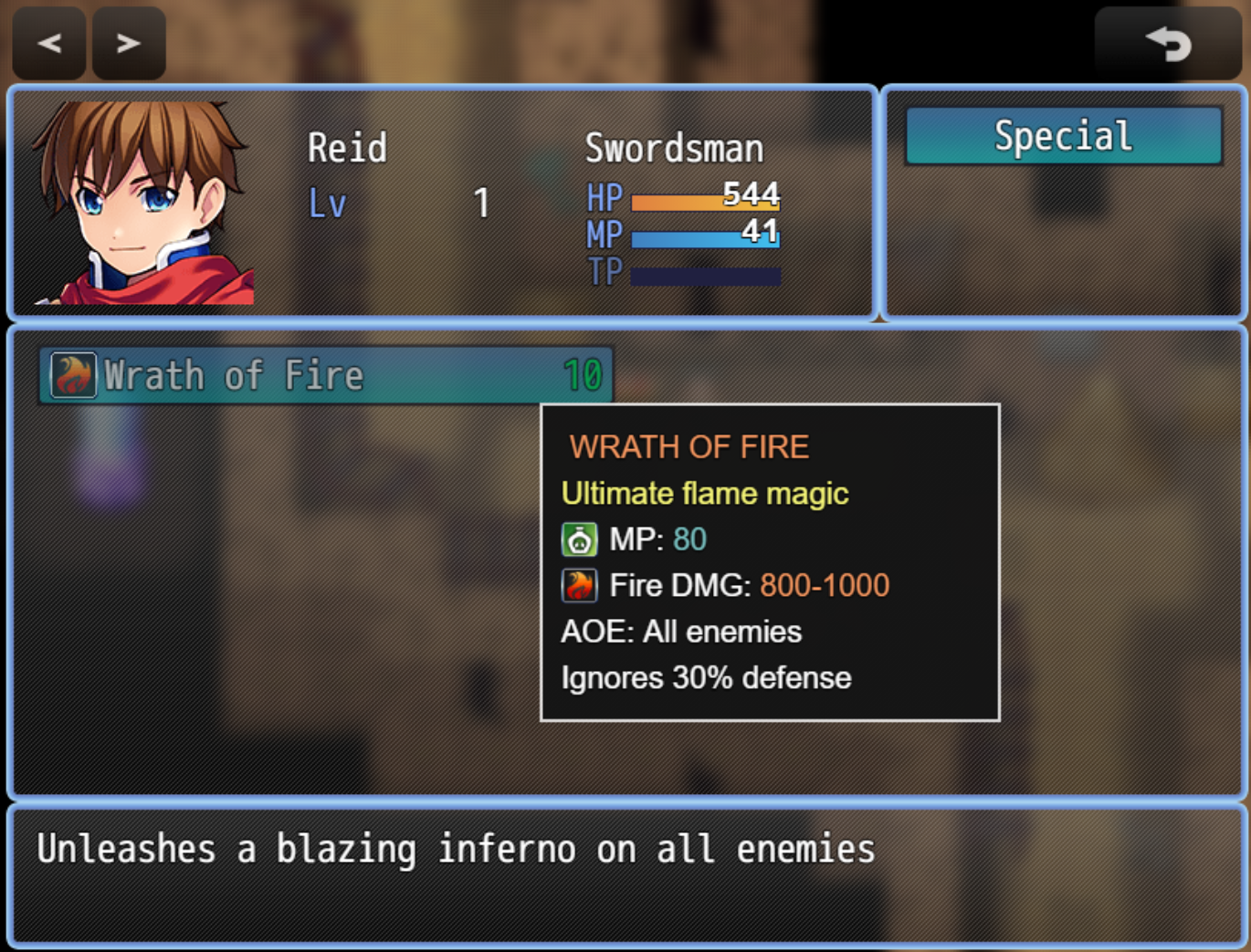
<tooltip: \c[2]WRATH OF FIRE\c[0]\n\i[177] MP: \c[4]80\c[0]\n\i[64] Fire DMG: \c[2]800-1000\c[0]\nAOE: All enemies>
Result: Orange title, cyan MP cost, fire icon with damage range
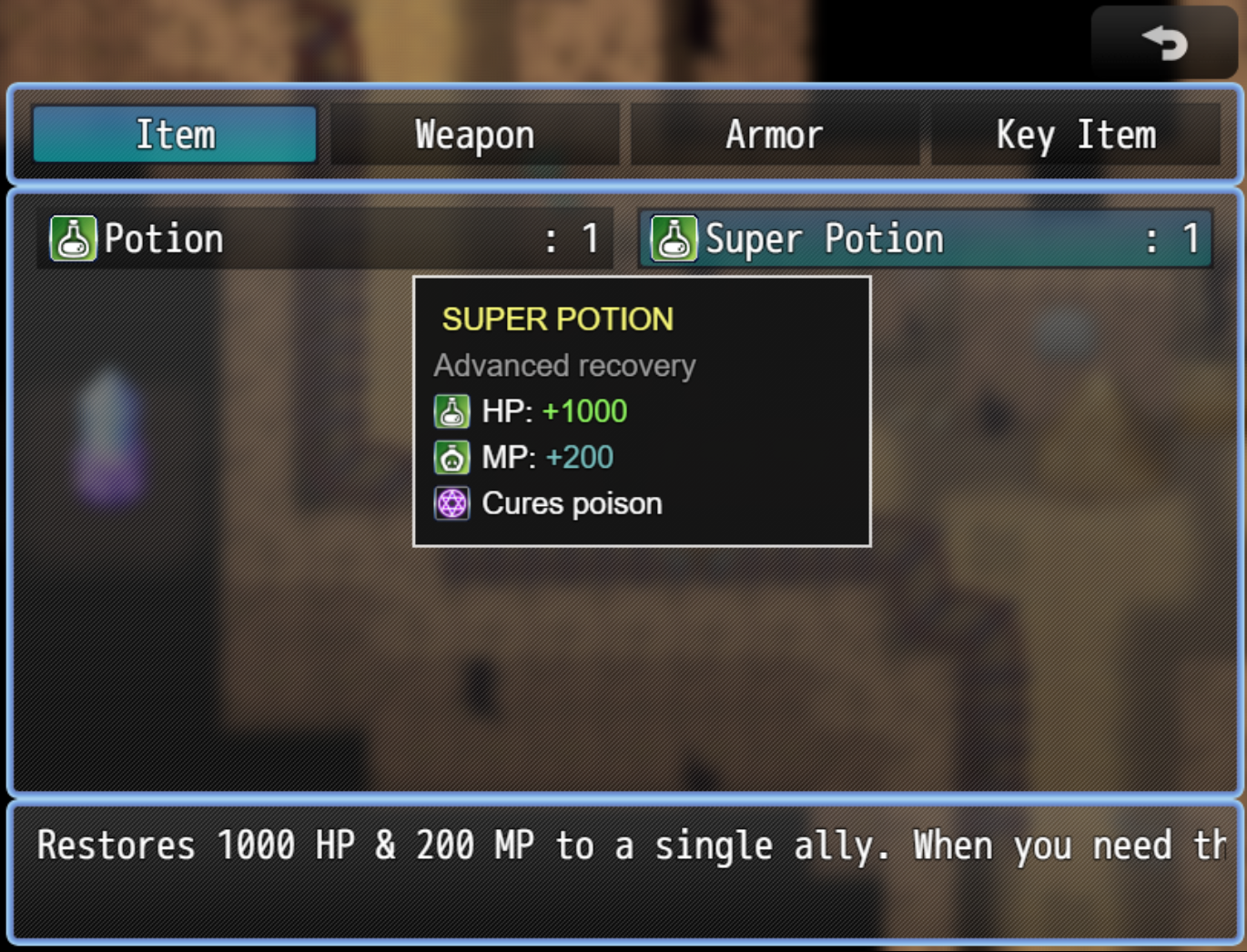
Super Potion (Compact)
<tooltip: \i[176] HP: \c[3]+1000\c[0] | \i[177] MP: \c[4]+200\c[0]>
Result: Quick stats, perfect for battle
![Screenshot placeholder - Example tooltips in action]
Tips & Best Practices
Writing Great Tooltips
- Keep it concise: 3-4 lines maximum for best readability
- Use icons: Visual shortcuts help players understand quickly
- Color strategically: Highlight important numbers and keywords
- Battle vs Menu: Battle tooltips should be shorter for fast decisions
- Always reset colors: Use
\c[0]after colored text to prevent color bleeding
Menu Tooltips
Perfect for detailed information: <tooltip: \c[14]ULTIMATE ELIXIR\c[0]\n\c[5]Legendary recovery\c[0]\n\i[176] HP: \c[3]MAX\c[0]\n\i[177] MP: \c[4]MAX\c[0]\nCures all ailments>
Battle Tooltips
Keep it short for quick decisions: <tooltip: \i[64] Fire: \c[2]400\c[0] | \i[177] MP: \c[4]25\c[0]\nAOE>
Compatibility
Works With:
- ✅ VisuStella MZ plugins
- ✅ CGMZ plugins
- ✅ Most custom menu plugins
- ✅ All standard RMMZ scenes
Load Order:
Place after other menu-related plugins for best compatibility.
Troubleshooting
Tooltip Not Appearing?
- Enable Debug Mode in plugin parameters
- Check console (F8) for error messages
- Verify note tag format:
<tooltip: text> - Ensure cursor hovers directly over item (not empty space)
- Check if tooltips are enabled in plugin parameters
Wrong Position?
- Verify screen resolution is supported
- Check if other plugins modify window positions
- Try adjusting Tooltip Width parameter
Text Not Wrapping?
- Reduce Tooltip Max Width in parameters
- Use manual line breaks with
\n - Keep lines under 40 characters
Version History
- v1.0.5 - Current release - Production ready
- Full menu support (Items, Skills, Equipment)
- Full battle support (Skills, Items)
- Enable/Disable controls (parameters + commands)
- Rich text formatting
- Sprite-based rendering (zero flickering)
- Smart positioning and mouse tracking
Terms of Use
- ✅ Free for commercial projects
- ✅ Free for non-commercial projects
- ✅ No license fees
- ✅ Modify as needed for your project
- ⭐ Credit appreciated (LastCall) but not required
Support & Updates
For support, bug reports, updates, and more plugins: https://last-call-project.itch.io
Found this plugin helpful? Consider leaving a rating and sharing your feedback! 🎮✨
Created by LastCall Version 1.0.5 RPG Maker MZ
Download
Click download now to get access to the following files:
Development log
- v1.0.6 - Visual Polish Update1 day ago
Comments
Log in with itch.io to leave a comment.
Sorry, the file was hidden. It’s now available and you can download it directly from this page.